From coffee roasters in the Shenandoah Valley to web designers in Charlottesville, more small businesses get the same request from customers: “Can I pay you in crypto?” Saying yes is easier than it used to be, but the first decision is not which coin to accept. It is who holds the money after the customer pays.
A non custodial payment gateway sends each payment straight to a wallet the business controls, while a custodial service keeps the funds in an account it manages for you. That single difference shapes your fees, your risks and how quickly you can use your revenue.
This guide explains both models in everyday terms and helps you pick the one that fits a small business.
Two ways to take crypto payments
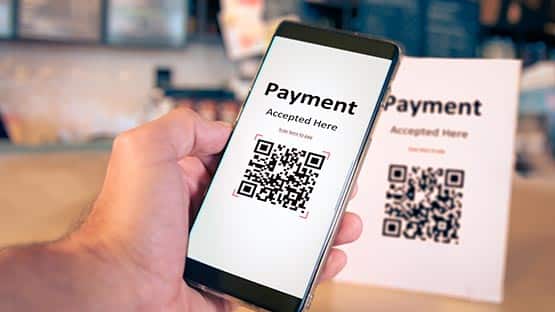
Every crypto checkout does the same visible job. The customer sees an amount, scans a QR code and pays from their wallet. Behind the scenes, there are two very different arrangements.
Custodial gateways work like a traditional payment processor. The customer pays into an address the provider controls. The provider credits your balance, and you later withdraw to your bank or wallet. You never touch the blockchain yourself.
Non-custodial gateways act more like a cash register than a bank. They create the invoice, watch the blockchain and tell your website when the payment arrives, but the coins go directly into your own wallet. The provider never holds them.
| Question | Custodial | Non-custodial |
| Where does the payment land? | Provider’s account | Your own wallet |
| Can the provider freeze funds? | Yes | No, it never holds them |
| Do you need to manage a wallet? | No | Yes |
| How fast can you use the money? | After a withdrawal | As soon as it confirms |
| What happens if the provider shuts down? | Funds may be stuck | Your coins stay in your wallet |
Why custody matters more than the logo on the checkout
When you sign up with a custodial provider, you are trusting it with your revenue. Most of the time that works fine. The problems appear in the unusual moments:
- an account review that pauses withdrawals for days or weeks;
- a change in the provider’s rules for your type of business;
- technical or financial trouble at the provider itself.
The crypto industry has seen large custodial platforms collapse and freeze customer balances. A small business rarely has the time or legal budget to chase funds through a bankruptcy process.
With a non-custodial setup, there is no balance to freeze, because the gateway never had one. The flip side is responsibility: if you lose access to your wallet and its recovery phrase, nobody can restore it for you.
What it costs: Fees in plain numbers
Card processing is the benchmark most owners know. Stripe’s published US rate for online card payments is 2.9% plus 30 cents per successful charge, with extra fees for international cards and currency conversion. On a $40 order, that is about $1.46.
Crypto gateways usually charge a percentage too, but the structure differs:
| Cost layer | Card payment | Crypto via gateway |
| Processing fee | About 2.9% + 30 cents | Often around 0.5% to 1% |
| Network fee | Built into card fees | Paid by the sender, usually cents |
| Chargeback fee | Around $15 per dispute | Not applicable |
| Withdrawal fee | Payout to bank | Custodial only; non-custodial has none |
| Conversion to dollars | Automatic | Optional, through an exchange |
Custodial services sometimes add withdrawal or conversion fees on top of the processing charge. With a non-custodial gateway, the payment is already in your wallet, so there is no withdrawal step to pay for. You only pay an exchange if you choose to convert to dollars.
Which model fits which business
There is no universal answer. A simple way to decide:
A custodial service may suit you if:
- you want automatic conversion to dollars and deposits to your bank;
- nobody on your team is comfortable managing a wallet;
- crypto is a small, occasional payment method for you.
A non-custodial gateway may suit you if:
- you want the money available the moment it is confirmed;
- you are in a sector that card processors or custodial platforms often review or decline;
- you plan to keep part of your revenue in crypto or stablecoins;
- you want to avoid having a third party able to pause your income.
Many small businesses start with stablecoins such as USDC or USDT on a non-custodial gateway, because the amounts stay close to the dollar and the money never sits with an intermediary.
Questions to ask any provider before signing up
Whichever model you lean towards, a short call or email with the provider should answer these questions:
- Where exactly do customer payments land, and who can move them?
- Under what circumstances can my account or payouts be paused?
- Which coins and networks are supported, and are stablecoins included?
- What is the full fee, including any withdrawal or conversion charges?
- How are underpayments, overpayments and expired invoices handled?
- Can I export every transaction for my accountant?
Clear, written answers are a good sign. Vague answers about custody or account reviews are a reason to keep looking.
Setting up a non-custodial gateway step by step
For a typical small business website, the process takes an afternoon:
- Create a business wallet. Use a reputable wallet app or, for larger balances, a hardware wallet. Write the recovery phrase on paper and store it in two safe places.
- Choose the coins and networks. Stablecoins on low-fee networks are the easiest start for customers and for your bookkeeping.
- Connect the gateway. Most providers offer plugins for WordPress, WooCommerce or Shopify, or a payment link you can send by email.
- Add your wallet addresses to the gateway dashboard, one per coin and network.
- Run a test payment with a small amount and check that the order status updates automatically.
- Publish a short payment policy that covers refunds, underpayments and invoice expiry times.
Keeping the books clean
Crypto income is still income. The IRS digital asset FAQ says a business that receives virtual currency for goods or services includes its fair market value in dollars, measured on the day it was received, in gross income. If you later sell or spend the coins at a different price, that creates a gain or loss.
In practice, keep these records for every sale:
- order number and invoice;
- coin, network and amount;
- dollar value at the time of payment;
- blockchain transaction ID.
Most gateways let you export this as a spreadsheet. Send it to your accountant monthly rather than at the end of the year.
Common mistakes to avoid
- Posting a single static address on your website instead of generating an invoice per order.
- Mixing personal and business crypto in one wallet.
- Keeping the recovery phrase in email or a phone note.
- Releasing goods on a screenshot instead of a confirmed blockchain payment.
- Ignoring refunds until a customer asks for one.
Frequently Asked Questions
Is a non-custodial gateway harder to use?
Not for the customer, who sees the same checkout either way. For the business, the only extra task is managing a wallet safely, which mostly means protecting the recovery phrase.
Can I still convert crypto to dollars?
Yes. You can send funds from your wallet to an exchange and withdraw to your bank whenever you choose, rather than on the provider’s schedule.
Do customers pay network fees?
Usually yes. The sender pays the network fee when sending the transaction. On most modern networks this is a few cents or less.
For a small business, the right crypto setup is the one that keeps revenue available, predictable and under your control. Start by answering who holds the money, and the rest of the decision becomes much simpler.
This content is provided for informational purposes only and is not a substitute for professional advice. AFP editorial staff were not involved in the creation of this content.
Support AFP



 Share