
It is a wonderful way to get back on your investment by selling or trading in your old smartphone, but it’s not exactly handing the phone over. You have to be sure that your personal data is permanently wiped and the device is ready for the next life before you give it to a new person. Here are the seven things you need to know before you sell your phone to a new owner so that they can be prepared for a safe sale.
1. Back up your data
Make sure you have photos, contacts, and documents safe before you sell old phones. If you’re on an iPhone, get iCloud or a backup to your computer; if you’re on Android, the Google account is in sync. Do not rely on your memory to make sure you have your files in the cloud or on your hard drive. You will not lose valuable memory when you take it to your phone, and you will have the backup of your old one.
2. Unpair your smartwatch and devices
Your smartphone is probably the hub for your other wearable tech, like an Apple Watch or a fitness tracker. If you don’t unpair them, the new user will not know how to connect them, or worse, your old phone may still try to receive notifications from your watch. The app provides a clean break between your old phone and your personal ecosystem, and both the phone and wearables will go from there.
3. Sign out of all accounts and services
And deleting apps isn’t enough; you have to sign out of the services that connect your real identity with the phone, like your Apple ID, Google Account, social media, and email accounts. For iPhones, signing out of Find My iPhone is a must for the device to be used by anyone else. If you leave these accounts signed in, you are leaving the door open for someone else to access your private data.
4. Remove your SIM and memory cards
Lots of individuals never get the small, physical components of their phone before they sell it. Pay attention to the SIM card that has your phone number and network information and any microSD cards you have stored for additional storage. Always remember that having these cards is your personal property and contains sensitive information that you should make sure you keep.
5. Perform a factory reset
Conducting a factory reset wipes the phone’s memory and brings it back to when it left the factory. You can’t just delete your files; go to the Erase All Content and Settings of your phone’s main settings menu. This is all done with a digital overwrite, so it’s impossible for software tools to retrieve your old data. When your phone successfully restarts and displays the Hello label screen, you know it’s safe.
6. Clean the exterior
Use a soft, lint-free cloth to remove fingerprints, oil, and dust from the screen and the back casing. Don’t use harsh household cleaners or bleach, as they damage the delicate coatings on your screen. A simple wipe with a damp cloth is generally enough to get rid of surface dirt. A clean, flawless phone, it shows the buyer that you’ve taken care of the device, and the transaction goes much more smoothly.
7. Gather original accessories
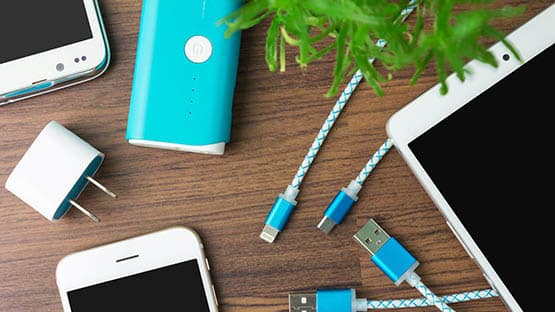
The phone is the most vital part; the accessories, like the box, charging cable, and power brick, are what can really increase resale value. If you have kept them all, add them to the package. Consumers want a complete set, and having the original charging equipment makes it feel like a premium product. If you don’t have the original box, pack the phone in a padded container before the journey to the next place.
Sell with confidence
These seven steps all ensure your personal data stays private, and your buyer will get a smartphone that they can use. When you spend time resetting and cleaning your phone, you show that you’re a responsible seller, and trust is established with them. This way, you can sell your old phone knowing that you’ve done everything you can to protect your digital identity and get the best price for your phone.
This content is provided for informational purposes only and is not a substitute for professional advice. AFP editorial staff were not involved in the creation of this content.


 Share
Share